

Compliance That Fits Microsoft Dynamics 365 Field Service Users
Microsoft Dynamics 365 Field Service Workflow
- Create Service Demand: Identify completed service requests and work orders requiring customer billing from Microsoft Dynamics 365 Field Service records.
- Confirm Work Completion: Verify technician activities, service tasks, appointments, assets, and completion details associated with each job.
- Gather Charge Details: Collect applicable labor, parts, services, agreement information, and customer details from completed field activities.
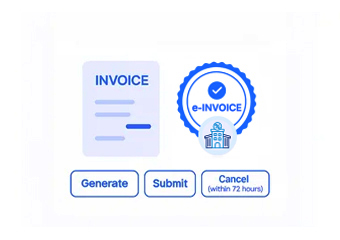
- Construct Billing Record: Combine approved service information into an electronic invoice record for Finland processing.
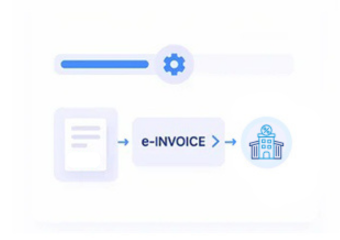
- Prepare Electronic Document: Structure the invoice according to applicable Finland requirements before sending it through connected channels.
- Return Billing Status: Send processing outcomes back for service administrators and finance teams to review.
Advintek Extension for Microsoft Dynamics 365 Field Service
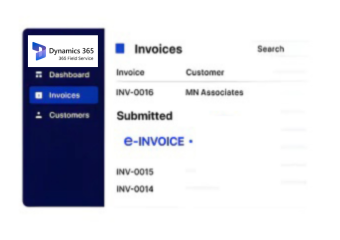
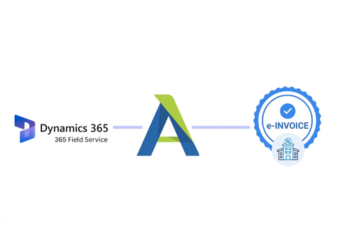
Advintek connects completed Microsoft Dynamics 365 Field Service operations with Finland e-invoicing, allowing service businesses to extend their work-order environment into structured customer billing.
- Connects completed work orders with invoicing
- Links technician activities to billing
- Supports agreement-based service invoicing
- Associates invoices with serviced assets
Microsoft Dynamics 365 Field Service Benefits with Advintek
- Work Order Billing: Convert completed Microsoft Dynamics 365 Field Service work into structured customer invoices without separating operational records from billing activity.
- Technician Time Context: Use relevant technician activity information when calculating and presenting charges for completed customer service.
- Agreement Billing Support: Support recurring service arrangements by connecting applicable agreement information with corresponding electronic customer invoices.
- Asset Service Visibility: Retain serviced equipment references so customers and finance teams can understand the underlying work.
- Parts Usage Context: Associate relevant parts and materials with service billing when technicians complete field assignments.
- Service Revenue Coordination: Connect operational completion records with finance processes for clearer management of field-generated customer revenue.
Complete Control Over Finland E-Invoicing Workflows in One Platform
Service Charge Structuring
Organize labor, parts, service, and agreement information into structured electronic invoice content for Finland recipients.
Asset Reference Support
Retain equipment and service references that help identify the field activity associated with customer billing.
Processing Event Records
Provide invoice processing information for teams reviewing delivery results, exceptions, and completed electronic documents.
Field Service Operations in Finland
Microsoft Dynamics 365 Field Service supports organizations coordinating mobile technicians, customer locations, service assets, work orders, appointments, and ongoing maintenance activities.
- Maintenance companies billing completed field visits
- Service contractors managing technician-generated invoices
- Equipment providers servicing customer assets
- Facilities teams coordinating scheduled maintenance work
Connect Work Orders with Advintek
Connect Field Service work orders with Finland e-invoicing through Advintek today.
Coordinate completed service work with billing.
Ready e-Invoice System
Frequently Asked Questions Microsoft Dynamics e-Invoicing Finland
How do Field Service work orders become customer invoices?
A completed work order can contain the operational information needed to support customer billing, including service activities, labor, parts, customer details, and completion information. Advintek can connect relevant Field Service records with Finland e-invoicing, allowing approved service activity to progress into structured electronic invoice preparation.
Can technician time contribute to Dynamics 365 Field Service billing?
Technician activity and recorded work information can contribute to the charges associated with a completed service job. Where those records are available in Dynamics 365 Field Service, Advintek can incorporate relevant information into the connected billing workflow, helping service organizations maintain alignment between field activity and customer invoices.
What happens with recurring service agreements?
Service agreements can establish an ongoing commercial relationship for scheduled maintenance or recurring field services. Relevant agreement information can support invoice preparation when applicable service activity is completed, allowing Advintek to connect recurring Field Service operations with Finland electronic billing while retaining the relationship between the agreement and resulting invoice.
Are serviced assets useful for Finland e-invoices?
Asset information can provide valuable context when an invoice relates to maintenance, repair, inspection, or other equipment services. Relevant asset references from Dynamics 365 Field Service can be associated with invoice information through Advintek, helping customers and internal teams identify which equipment or service activity generated the billed work.
How are completed appointments handled before invoicing?
Appointment completion can provide an operational checkpoint showing that scheduled field activity has occurred. Relevant appointment and work-order information can then support billing preparation through Advintek, allowing service organizations to distinguish planned visits from completed work before generating Finland electronic invoices for customers.