

Compliance That Scales With Enterprise Accounting
From QuickBooks Enterprise Records to E-Invoices
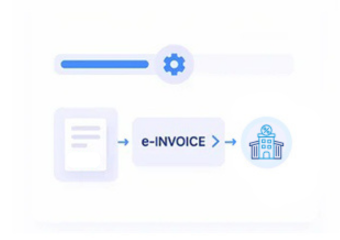
- Sales Entry Selection: QuickBooks Enterprise transactions meeting configured processing conditions are selected from the accounting environment for invoicing.
- Customer Account Resolution: Customer accounts are associated with applicable billing information before invoice content enters electronic processing workflows.
- Commercial Detail Assembly: Products, services, quantities, taxes, and totals are assembled from the originating enterprise transaction.
- Invoice Rule Application: Relevant processing rules are applied before the electronic document is prepared for Finnish delivery.
- Recipient Channel Selection: The workflow determines the appropriate connected channel based on recipient information and invoicing arrangements.
- Accounting Confirmation Return: Completed processing information is returned for accounting teams to review alongside the originating transaction.
Inside QuickBooks Enterprise Integration
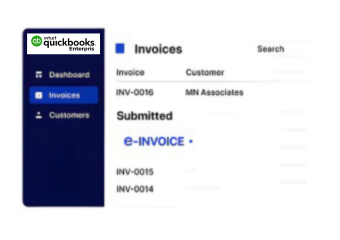
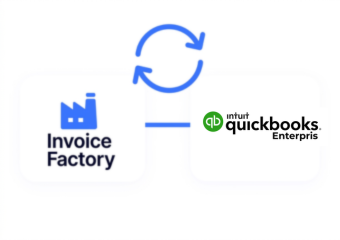
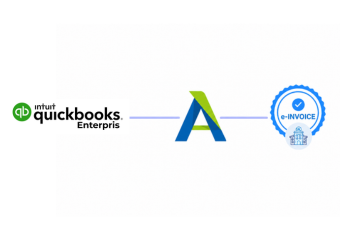
Advintek creates an operational connection between QuickBooks Enterprise and Finnish electronic invoicing without disrupting established accounting practices.
- Reads approved enterprise transactions for processing
- Preserves important accounting relationships throughout invoicing
- Applies configured rules before document creation
- Returns invoice activity for finance review
Business Value for QuickBooks Enterprise Finance
- Less Duplicate Entry: Connected processing reduces repeated transcription between QuickBooks Enterprise records and electronic invoice information during routine billing.
- Cleaner Account Histories: Invoice activity remains associated with originating transactions, supporting more coherent financial records over time.
- Controlled Approval Flow: Existing accounting approvals can remain part of the process before transactions proceed toward electronic invoicing.
- Better Transaction Traceability: Teams can follow invoice activity from originating enterprise records through subsequent electronic processing stages.
- More Organized Customer Billing: Customer account information can remain connected with relevant transactions across recurring and individual billing scenarios.
- Greater Administrative Capacity: Automated connections allow finance teams to manage broader billing workloads without proportional increases in repetitive processing tasks.
One Compliance Layer Across Enterprise Billing
Invoice State Monitoring
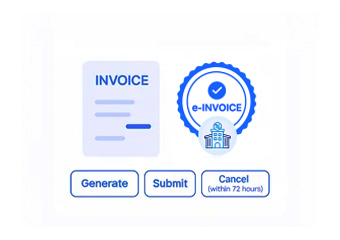
Provides visibility into document progress so accounting teams can identify outstanding or completed invoice activities.
Reference Data Preservation
Retains important transaction references across processing to support subsequent financial investigation and record matching.
Workflow Exception Routing
Directs problematic transactions toward review so unresolved information does not pass unnoticed through processing.
QuickBooks Enterprise Billing Across Finland
QuickBooks Enterprise suits businesses managing substantial accounting activity, multiple users, detailed transactions, and structured billing requirements.
- Supports complex customer account structures
- Handles extensive product and service billing
- Connects accounting activity with invoicing operations
- Accommodates growing transaction administration needs
Support Your Digital Compliance Workflow
Connect QuickBooks Enterprise with structured Finnish e-invoicing processes.
Strengthen digital billing across established finance operations.
Ready e-Invoice System
Frequently Asked Questions QuickBooks Enterprise e-Invoicing Finland
What makes QuickBooks Enterprise suitable for Finnish e-invoicing integration?
QuickBooks Enterprise provides a detailed accounting environment containing customer accounts, sales transactions, product information, tax details, and financial references. Connecting this information with Advintek allows businesses to use their existing enterprise records as the foundation for Finnish electronic invoicing rather than recreating transaction information in a separate process.
How can multi-user QuickBooks Enterprise environments handle e-invoicing?
Advintek can work with information generated within established QuickBooks Enterprise accounting workflows, allowing approved transactions to enter connected invoice processing. This is particularly useful for businesses where several finance or accounting users manage customer billing, because electronic invoice processing can remain connected to the underlying enterprise transaction.
Does the integration support detailed QuickBooks Enterprise transactions?
Detailed enterprise transactions can contain numerous products, services, quantities, taxes, references, and customer-specific fields. Advintek can use relevant transaction information within the invoicing workflow, helping preserve the commercial detail required for accurate electronic documents while maintaining a relationship with the original QuickBooks Enterprise accounting entry.
How does Advintek help finance teams investigate invoice exceptions?
When invoice processing encounters problematic information, the relevant transaction can be directed for financial review rather than simply disappearing from the workflow. QuickBooks Enterprise users can investigate the underlying accounting record, correct the necessary information, and continue processing once the transaction is ready.
Can QuickBooks Enterprise invoice activity remain connected to accounting records?
Yes. Connecting invoice processing with the originating enterprise transaction creates a clearer audit trail between accounting activity and electronic billing. Finance teams can use that relationship when reviewing invoice progress, investigating customer transactions, checking historical activity, or reconciling electronic invoicing records with their broader QuickBooks Enterprise environment.