

Compliance Built Around Desktop Accounting Workflows
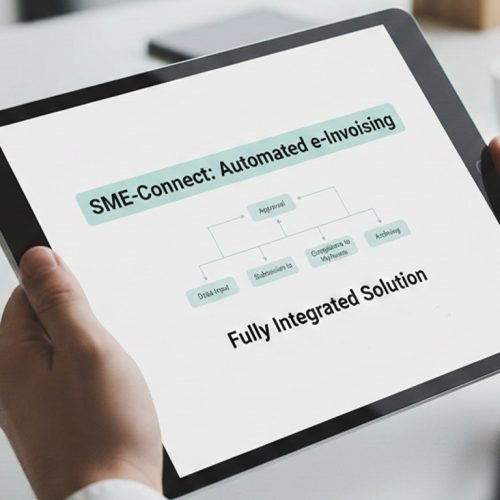
How QuickBooks Desktop Invoicing Works
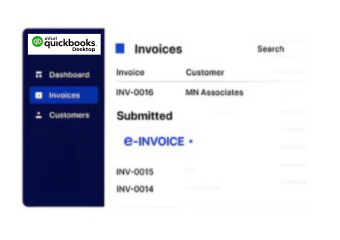
- Desktop Data Collection: QuickBooks Desktop invoice and customer records are gathered for downstream Finnish electronic invoice processing requirements.
- Transaction Data Organization: Extracted accounting information is organized into structured fields before e-invoice processing begins.
- Invoice Content Assessment: Billing details are reviewed to identify incomplete information or inconsistencies before document preparation.
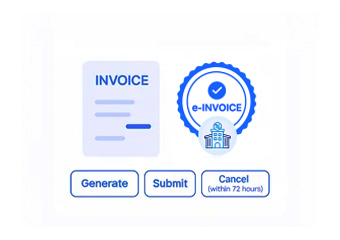
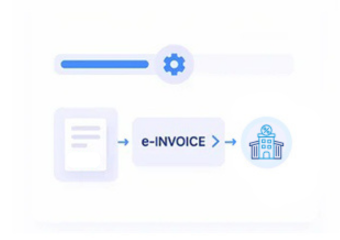
- Document Structure Creation: Validated QuickBooks Desktop information is arranged into suitable electronic invoice structures for Finnish processing.
- Electronic Invoice Submission: Prepared invoice data proceeds through the appropriate connected Finnish electronic invoicing workflow.
- Processing Status Reconciliation: Processing results are associated with original QuickBooks Desktop records for clearer accounting follow-up.
What Advintek Adds In QuickBooks Desktop
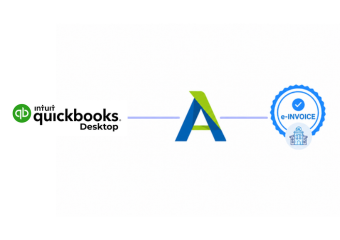
Advintek creates a connected layer between QuickBooks Desktop accounting information and Finnish electronic invoicing processes.
- Connects desktop accounting records with invoice workflows
- Reviews transaction information before electronic processing
- Structures invoice data for Finnish requirements
- Reconciles processing outcomes with accounting records
Benefits for QuickBooks Desktop Operations
- Centralized Billing Control: QuickBooks Desktop invoice information can follow a consistent process from accounting records through Finnish electronic document handling.
- Improved Data Continuity: Connected workflows reduce unnecessary duplication when billing information moves between accounting and Finnish invoicing processes.
- Clearer Invoice Preparation: Structured checks help accounting teams identify missing or inconsistent information before electronic documents are prepared.
- Better Customer Association: Recipient information remains connected with relevant billing records throughout the invoice processing lifecycle.
- Simpler Record Reconciliation: Processing outcomes can be matched against QuickBooks Desktop entries for more organized financial follow-up.
- Controlled Invoice Growth: Connected processing supports increasing billing activity without requiring equivalent growth in repetitive administrative handling.
Finland E-Invoicing Tools for QuickBooks Desktop
Document Lifecycle Tracking
Monitors invoice progress across preparation, processing, delivery, and related electronic document stages.
Data Exception Management
Highlights problematic accounting information so teams can investigate issues before final invoice processing.
Invoice Archive Organization
Helps maintain accessible invoice records alongside relevant QuickBooks Desktop accounting information for future reference.
QuickBooks Desktop for Finland Businesses
QuickBooks Desktop can support Finland businesses that need stronger coordination between established accounting records and electronic invoicing operations.
- Supports established desktop accounting environments
- Connects invoice processing with financial records
- Helps organize recurring customer billing activity
- Supports structured workflows for growing businesses
with QuickBooks Desktop
Start Structured Invoice Processing for Finland Businesses Today
Support accurate invoice handling across connected business processes.
Ready e-Invoice System
Frequently Asked Questions QuickBooks Desktop e-Invoicing Finland
Can QuickBooks Desktop support Finland e-invoicing through Advintek?
QuickBooks Desktop can provide the accounting and billing information needed for connected Finnish electronic invoice processing. Advintek can work between the desktop accounting environment and the relevant invoicing workflow, helping structure invoice information, review required fields, process documents, and associate outcomes with the original accounting records.
Which QuickBooks Desktop information is used for Finland invoices?
Relevant information can include customer details, invoice references, transaction lines, tax information, totals, and other accounting fields required for invoice preparation. Advintek can organize information from QuickBooks Desktop into a structured workflow, helping ensure the electronic document is prepared from the underlying accounting transaction.
How does Advintek handle QuickBooks Desktop invoice validation?
Before an invoice proceeds through electronic processing, relevant QuickBooks Desktop information can be reviewed for completeness and consistency. This helps identify missing customer information, unsuitable invoice fields, or other data issues earlier, allowing accounting teams to address exceptions before they affect downstream Finnish invoice processing.
Can recurring QuickBooks Desktop billing workflows support electronic invoicing?
Recurring billing records created within QuickBooks Desktop can form the accounting basis for repeated invoice processing. Advintek can connect those records with the Finnish electronic invoicing workflow, helping businesses maintain consistent information across repeated transactions while reducing the need to manually recreate billing details for every invoice.
How are Finnish invoice results connected with QuickBooks Desktop?
Processed invoice outcomes can be associated with their originating QuickBooks Desktop accounting records. This creates a clearer relationship between the original transaction and its electronic invoice activity, giving accounting teams a more organized way to review processing results, investigate exceptions, and maintain continuity within their existing financial workflows.