

Compliance Built for Automated Invoice Operations
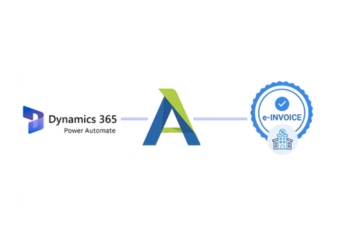
Microsoft Power Automate Workflows for Finland Compliance
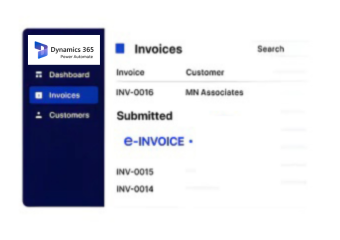
- Flow Trigger Detection: Microsoft Power Automate detects configured invoice events and starts the appropriate Finland e-invoicing workflow automatically.
- Source Data Retrieval: The flow retrieves invoice details from connected ERP, CRM, finance, or business applications for processing.
- Workflow Rule Application: Configured conditions determine routing, approvals, validation steps, and automated processing paths for each invoice.
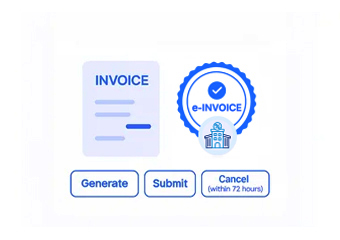
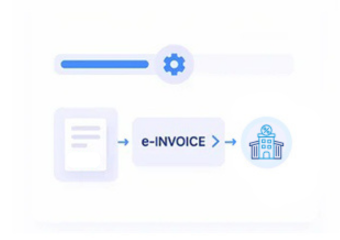
- Document Structure Creation: Approved information is assembled into an electronic invoice structure suitable for Finland processing requirements.
- Network Delivery Coordination: Advintek manages the downstream electronic invoice delivery process after workflow preparation and validation are complete.
- Status Information Return: Processing responses return to connected workflows for notifications, exception handling, and financial follow-up activities.
What Advintek Adds to Microsoft Power Automate
Advintek extends Microsoft Power Automate workflows with structured Finland e-invoicing capabilities across connected business applications.
- Automates invoice routing between connected applications
- Coordinates approval steps before Finland processing
- Applies workflow rules to invoice events
- Returns processing results to connected systems
Benefits for Microsoft Power Automate Invoice Workflows
- Automated Workflow Execution: Reduces repetitive invoice administration by coordinating routine processing steps through configured Power Automate flows.
- Connected System Orchestration: Coordinates information between ERP, CRM, finance, and operational applications participating in connected invoicing processes.
- Approval Path Coordination: Supports defined approval sequences before invoice information proceeds into Finland electronic document processing workflows.
- Process Exception Visibility: Helps teams identify workflow interruptions, incomplete information, or processing responses requiring additional attention quickly.
- Flexible Integration Design: Supports different business applications and workflow conditions without requiring identical invoicing processes across departments.
- Operational Process Consistency: Establishes repeatable invoice handling patterns across teams while retaining configured business rules and controls.
Complete Control Over Finland E-Invoicing Workflows in One Platform
Flow Performance Insights
Provides visibility into automated invoice flows, helping teams review execution activity and recurring patterns.
Approval Governance Controls
Supports defined approval checkpoints so invoice processing follows business authorization requirements before downstream submission.
Integration Health Monitoring
Helps identify disconnected services, failed workflow actions, or unavailable endpoints affecting automated invoice processes.
Microsoft Power Automate Workflows Across Finland
Microsoft Power Automate can connect ERP, finance, CRM, and operational applications within coordinated Finland invoicing workflows.
- ERP teams automating invoice-triggered business workflows
- Finance teams coordinating approval-driven invoice processes
- Operations teams connecting multiple business applications
- IT teams managing integrated Power Automate environments
Build Smarter Invoice Workflows
Automate invoice processes across connected business applications.
Support controlled Finland e-invoicing through workflows.
Ready e-Invoice System
Frequently Asked Questions Power Automate e-Invoicing Finland
Where does Power Automate fit within an ERP e-invoicing process?
Microsoft Power Automate can act as the workflow layer connecting ERP events with downstream Finland e-invoicing activities. For example, an ERP invoice event can initiate a flow that retrieves relevant information, applies business conditions, sends approved data through Advintek, and returns processing information to the connected business environment.
Can Power Automate connect several ERP systems to Advintek?
Yes. Power Automate can coordinate workflows involving multiple connected business applications. An organization using different ERP, finance, CRM, or operational platforms can configure separate flows around each source while using Advintek for Finland e-invoicing processing. This allows existing application environments to participate without forcing one identical workflow across every system.
What role do approvals play in Power Automate invoice flows?
Approvals can be incorporated as defined stages within Power Automate before invoice information reaches downstream processing. Businesses can establish conditions based on invoice attributes, organizational rules, or internal authorization requirements. Once the appropriate approval is completed, the flow can continue toward Advintek and Finland electronic invoice processing.
How can IT teams monitor failed Power Automate invoice flows?
IT teams can use workflow activity and processing information to investigate interrupted invoice processes. A connected implementation can expose events such as failed actions, unavailable services, incomplete data, or unsuccessful downstream responses. Advintek can then provide processing context that helps teams distinguish application workflow issues from e-invoicing processing exceptions.
Can Power Automate support different invoice workflows by department?
Power Automate can be configured with different triggers, conditions, approvals, and destinations for separate departments or business processes. For example, finance, sales, procurement, and service teams may follow distinct invoice workflows. Advintek can sit within those configured processes to support Finland electronic invoicing without requiring identical departmental procedures.